

Projects overview
Projects are the foundation of your deployment process. A project within fDeploy landscape typically represents a web application where deployment process and related variables are defined.
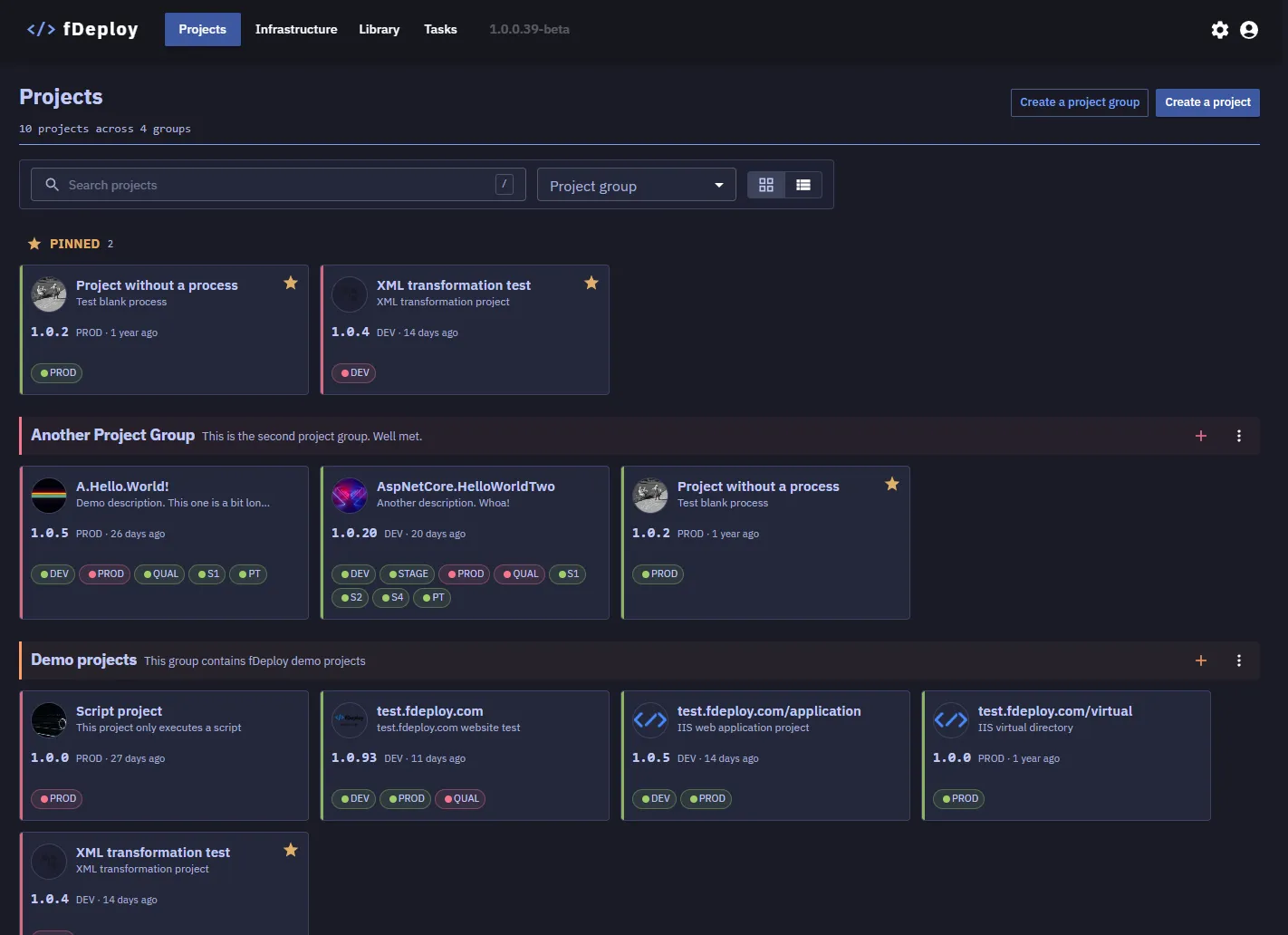
Projects can be organized in Project Groups as it is not unusual for larger organizations to have hundreds of projects.
Each project defines a deployment process (the ordered steps to perform), a set of variables (values that may differ per environment), and is used to produce releases that get deployed.
Project Groups
Project groups let you categorize and organize projects for easier navigation. Each project group has a name and an optional description.
Creating a project group
Click the Create a project group button in the projects overview header. Enter a name (up to 50 characters) and an optional description, then click Create.
Editing a project group
Click the edit icon next to a project group heading to modify its name and description. Click Save to apply changes.
Deleting a project group
A project group can only be deleted if it contains no projects. To delete a group, open the edit view and click Delete. You will be asked to confirm the deletion.