

Progressions
A progression defines a project’s deployment pipeline — the ordered sequence of phases a release must pass through on its way to production. Each phase maps to one or more environments, and fDeploy enforces the order: a release cannot be deployed to phase N+1 until every environment in phase N has a successful deployment of that release.
Progressions live in the library (Library → Progressions) because they are shared — one progression can govern many projects. Every project is assigned exactly one progression, selected at project creation and changeable anytime from project settings. At least one progression must exist in the library before a project can be created.
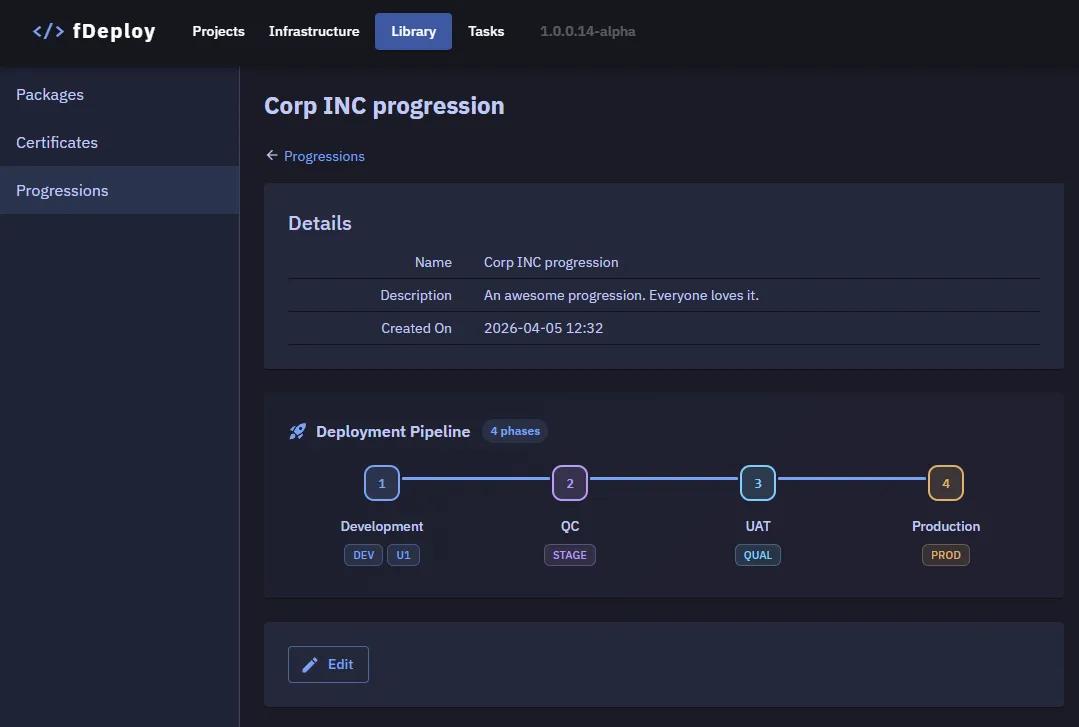
Deployment pipeline
A progression’s pipeline is an ordered list of phases. Each phase has a number (1, 2, 3, …), a name, and one or more assigned environments. A typical three-environment setup might look like:
| Phase | Name | Environments |
|---|---|---|
| 1 | Development | DEV, U1 |
| 2 | QC | STAGE |
| 3 | UAT | QUAL |
| 4 | Production | PROD |
Multiple environments in one phase is useful when two environments are considered “the same stage” — e.g. a DEV and a developer-local U1 environment at phase 1. Deploying to either satisfies the phase for gating purposes.
Deployment gating
A release must be successfully deployed to every environment in phase N before it is eligible for any environment in phase N+1. Attempting to skip ahead is blocked at deployment creation with an error identifying the missing prior-phase deployment.
A failed or cancelled deployment does not satisfy the gate — you need a successful deployment of the same release to the same environment.
Changing a project’s progression
A project’s progression can be changed at any time from project settings. The change is not retroactive: existing releases retain their deployment history, but gating for future deployments uses the new progression.
Used-by view
The progression detail page lists every project currently assigned to the progression. Check this before renaming, restructuring, or deleting a progression — changes ripple to every listed project’s future deployments.