Dashboard
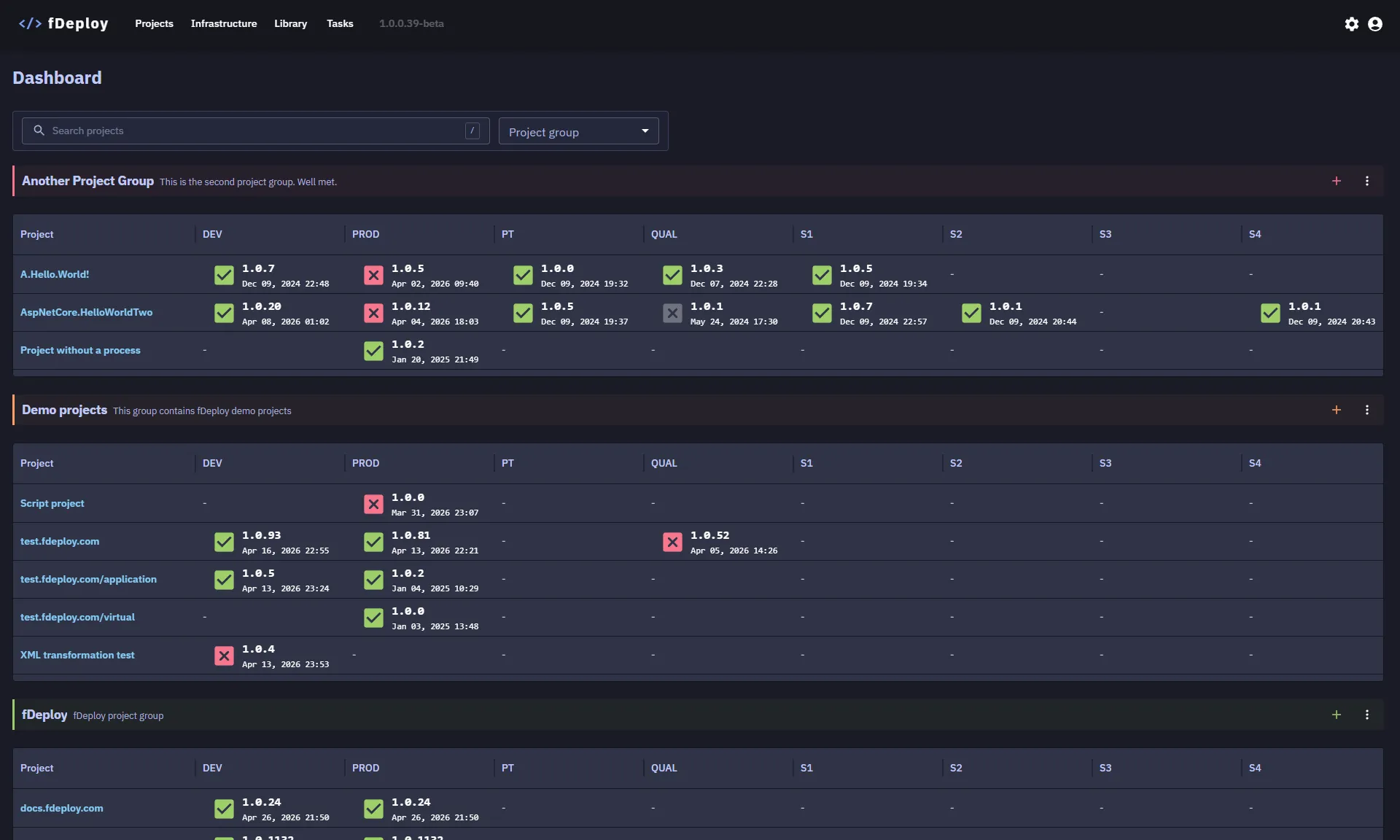
The fDeploy Dashboard is the home screen displayed when you navigate to fDeploy Server. It provides a high-level overview of your deployment landscape.
License status
If your license is missing, expired, or non-compliant, an alert will be displayed at the top of the dashboard. You can resolve this by navigating to the license configuration area.
Projects overview
The dashboard displays a summary of all your projects organized by project group. For each project, you can see the latest deployment status across all configured environments at a glance.
The overview includes:
- Project name — click to navigate to the project details
- Deployment status per environment — color-coded indicators showing:
- Success — last deployment completed successfully
- Failed — last deployment failed
- In progress — a deployment is currently running
You can search and filter the projects overview to quickly locate specific projects.