

Deployment targets
fDeploy considers deployment target to be a machine where fDeploy Agent is running.
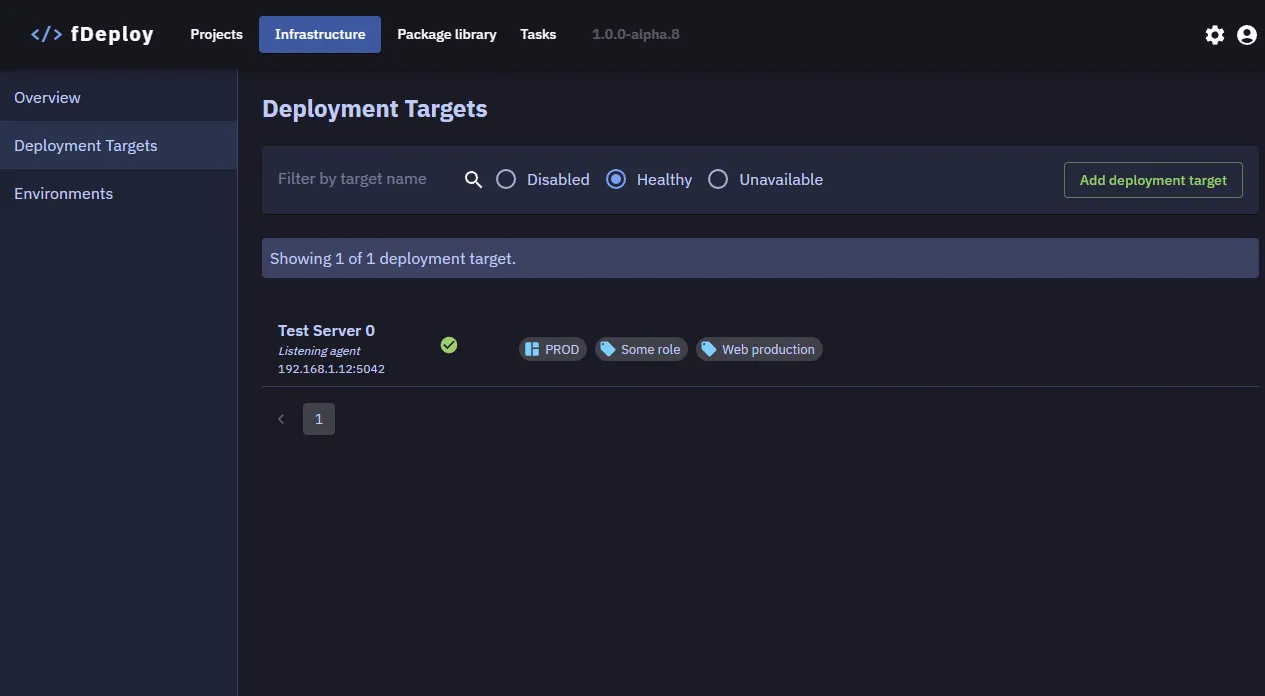
Filtering deployment targets
The deployment targets list supports filtering to help you locate specific targets:
- Filter by name — search for targets by name using the text input
- Filter by health status — filter targets by their current state:
- Healthy — targets that are online and responding
- Unavailable — targets that are not responding to health checks
- Disabled — targets that have been manually disabled
Results are paginated for large environments.
Configuration properties
A deployment target has the following configuration properties:
- Name
- Enabled/Disabled flag
- Environments
- Roles
- Hostname
- Port
- Thumbprint
Health checks
fDeploy Server performs periodic health checks on all enabled deployment targets via gRPC. During each health check, the following information is collected from each target:
| Check | Description |
|---|---|
| Uptime | Duration since the fDeploy Agent process was last started |
| Thumbprint | Verifies the agent certificate thumbprint matches the configured value |
| Available disk space | Free disk space on the drive where fDeploy Agent is installed |
| OS version | Operating system version of the target machine |
| Identity | Windows identity under which the fDeploy Agent service is running |
| Local admin | Whether the agent is running with local administrator privileges |
| Hostname | Machine hostname of the target |
| .NET Framework | .NET runtime version installed on the target |
| Agent version | Installed fDeploy Agent version |
If the agent certificate thumbprint does not match the configured value, the target is marked as Unavailable. If all checks pass, the target is marked as Healthy.