

fDeploy REST API
The fDeploy Server API is used for managing all aspects of fDeploy ecosystem. fDeploy Server web interface is built on top of this API and this enables you to take advantage of its capabilities in your organization. You can use as much of it as possible, or as little as possible. You could create your own web interface, or build custom integrations to make fDeploy Server work with your build pipeline.
The fDeploy Server API is exposed as an OpenAPI 3.0 specification (via NSwag) with a Swagger user interface on top to help you get started.
You can access the API documentation via Swagger UI by navigating to https://yourfdeployserver/swagger
The OpenAPI specification can be accessed at https://yourfdeployserver/openapi.json
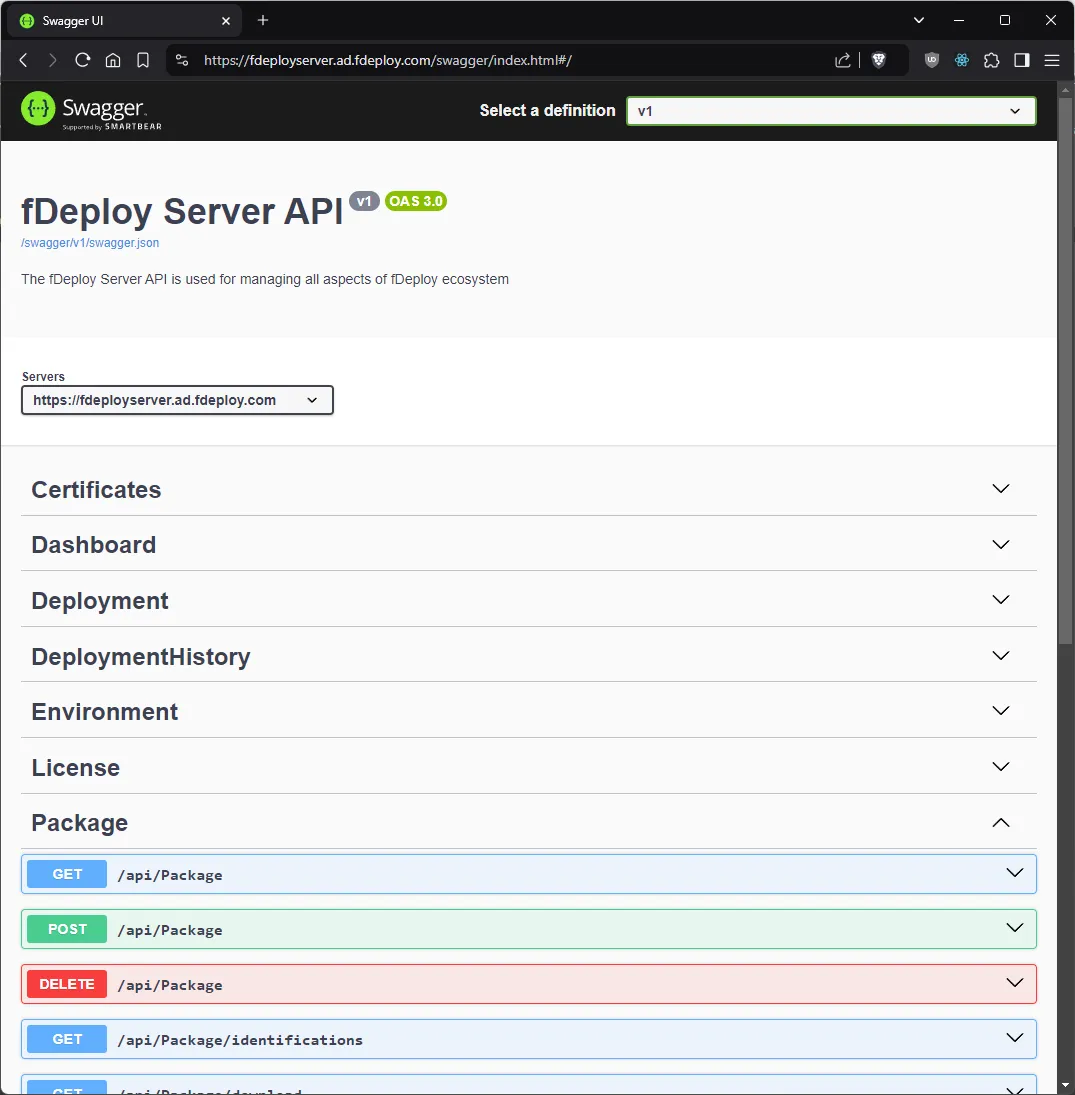
Authentication
All API endpoints require authentication except for the login endpoint. The API supports two authentication methods:
- Personal access tokens (recommended for automation) — include a token in the
Authorizationheader:Authorization: Bearer fdp_.... See personal access tokens for setup instructions. - Cookie-based sessions — the same cookie used by the web interface. When making API calls from external tools, include the
fDeploy.Authcookie obtained from a successful login.
Available resources
The API provides endpoints for managing the following resources:
- Access Tokens
- Audit Log
- Authentication
- Certificate Library
- Certificates
- Dashboard
- Deployments & Deployment History
- Environments
- Licensing
- Packages
- Process definitions
- Progressions
- Projects & Project Groups
- Project Variables
- Releases
- Roles
- Settings (Authentication, Session, Security Policy, Diagnostics)
- Targets & Target Roles
- Tasks & Task Logs
- Users
Package API endpoints
The Package API is commonly used for CI/CD pipeline integration. Key endpoints include:
| Method | Endpoint | Description |
|---|---|---|
GET | /api/package | Paginated list of all packages |
GET | /api/package/identifications | List all unique package names |
GET | /api/package/versions?packageIdentification={name} | List all versions of a specific package |
GET | /api/package/download?id={id} | Download a package file |
POST | /api/package | Upload a package (multipart/form-data) |
DELETE | /api/package/{id} | Delete a package |
Package versions are sorted using semantic versioning (e.g., 1.2.3 is ordered before 1.10.0).
Common API examples
The following examples use personal access tokens for authentication. Replace fdp_your_token_here with your token and yourfdeployserver with your server hostname.
Push a package
curl -X POST https://yourfdeployserver/api/Package \ -H "Authorization: Bearer fdp_your_token_here" \ -H "Content-Type: multipart/form-data" \ -F "OverWriteExisting=true" \Create a release
curl -X POST https://yourfdeployserver/api/Release \ -H "Authorization: Bearer fdp_your_token_here" \ -H "Content-Type: application/json" \ -d '{ "projectId": 1, "version": "1.0.0", "releaseNotes": "Initial release" }'The project must have a deployment process configured and any referenced packages must already exist in the package library.
Create a deployment
curl -X POST https://yourfdeployserver/api/Deployment \ -H "Authorization: Bearer fdp_your_token_here" \ -H "Content-Type: application/json" \ -d '{ "projectId": 1, "releaseId": 1, "environmentId": 1 }'If the project uses a progression, the release must have a successful deployment in all prior phases before it can be deployed to a later phase.